
Our client-centric case management software is designed to revolutionize your office operations by streamlining workflows, automating repetitive tasks, and enhancing collaboration. With a centralized platform for all case information, your team can access data instantly, reducing time spent searching for files and ensuring nothing falls through the cracks. Transform your office into a more productive, accurate, and client-focused environment with our innovative software solution.
Case Management
Our client-centric case management software is designed to revolutionize your office operations by streamlining workflows, automating repetitive tasks, and enhancing collaboration.
Core Features
One powerful system.
Every case.
Complete clarity.
Bring every case, client detail, document, and deadline into one powerful, secure platform designed for justice agencies. Your team gains instant visibility, automated workflows, and real-time insights that eliminate chaos and replace it with clarity. Work smarter, move faster, and make better decisions from a single source of truth.
Core Features
A modern case management system brings every case, client detail, document, and deadline together into one secure, centralized platform. Instead of jumping between folders, spreadsheets, or disconnected software, staff access a complete view of the case in seconds—charges, discovery, documents, tasks, notes, and communication history all organized in one place. Automated workflows ensure consistency and reduce manual effort, generating tasks, reminders, and deadlines the moment a case is opened. Whether it’s a homicide case triggering a full investigation workflow or a simple misdemeanor requiring quick triage, the system adapts to the unique needs of your agency.
With integrated calendars, automated court reminders, SMS communication, activity logs, and powerful document management, every team member stays aligned and informed. Attorneys, investigators, supervisors, and administrative staff collaborate from the same source of truth, ensuring continuity even when cases shift hands. Supervisors gain real-time insight into caseloads, performance, and key trends through built-in analytics—eliminating outdated reporting and empowering data-driven decisions.

Event Management
Deadlines handled.
Hearings mastered.
Chaos eliminated.
Stay perfectly aligned with a unified, real-time calendar that tracks hearings, deadlines, and key milestones across your entire agency. Automated reminders, task generation, and seamless syncing ensure nothing is missed. From courtrooms to client meetings, your team shows up prepared every time.
Event Management
Event and Calendar Management gives your entire agency complete visibility and coordination around hearings, appointments, deadlines, and critical milestones. Every event—whether scheduled by the court, created by staff, or generated by workflow automation—flows directly into an organized, unified calendar that updates in real time. Attorneys, investigators, and administrators instantly see what’s coming, where they need to be, and what is due next. Instead of chasing paper notices or relying on memory, staff work from a reliable, central source of truth that ensures no one misses a court appearance or filing deadline.
The system automatically ties events to their cases and generates related tasks, reminders, and prep checklists. For example, scheduling a preliminary hearing can immediately trigger reminders for discovery review, motion preparation, or investigator follow-up—each assigned to the right team members. Client communication becomes effortless as well: automated SMS and email reminders help reduce failures-to-appear, improve client engagement, and strengthen outcomes. With color-coded calendars, personal and team views, and secure syncing, staff always know exactly what their day looks like and what priorities require attention.
Leaders gain operational clarity through agency-wide visibility, ensuring balanced workloads and improved resource allocation. Supervisors can quickly identify overlapping events, over-scheduled staff, or upcoming bottlenecks before they become problems. With robust permissions, audit trails, and compliance-aligned security, your calendar becomes not just a scheduling tool—but a strategic asset that enhances coordination, reduces risk, and keeps your entire organization moving in sync.

Holistic Defense
Stronger outcomes through whole-person advocacy.
Deliver stronger outcomes by supporting the whole client—not just the charges. Centralized referrals, service coordination, and real-time tracking empower your team to integrate legal strategy with social and community support. It’s defense built for long-term impact.
Holistic Defense
Holistic Defense brings every aspect of a client’s life into the defense strategy, allowing your team to address legal needs alongside social, medical, behavioral, and family-stability challenges. The system supports this model by centralizing referrals, service providers, case plans, assessments, and communication notes within each client profile. Attorneys, advocates, investigators, and social-service staff collaborate in one place—ensuring the full picture of the client’s needs is visible, actionable, and aligned with the defense approach.
With integrated workflows, staff can quickly connect clients to treatment programs, housing support, benefit assistance, mental-health services, and community resources—while tracking engagement and outcomes in real time. Supervisors gain clear visibility into service utilization and client needs across the agency, enabling proactive support rather than reactive crisis management. By pairing legal representation with coordinated wraparound support, your organization delivers stronger outcomes, reduces recidivism risk, and demonstrates a deeper commitment to justice that extends beyond the courtroom.

Motion Tracking
Every motion visible.
Every opportunity protected.
Track every motion from draft to filing with total visibility and automated alerts. Deadlines, reviews, and approvals stay organized and transparent across your caseload. Stay proactive, prepared, and strategically ahead.
Motion Tracking
Motion Tracking gives your agency total visibility into every motion filed, pending, or upcoming across all cases. Instead of scattered notes or manual spreadsheets, each motion is logged directly within the case file—complete with deadlines, hearing dates, responsible staff, drafts, supporting documents, and approval paths. The system automatically alerts attorneys when responses are due, when drafts need supervisor review, or when follow-up work is required. This ensures nothing slips through the cracks, especially in high-volume environments where multiple motions may be active at once.
Workflows support the full lifecycle—from draft creation to final filing—while supervisors gain a clear view of what motions are in progress, what’s overdue, and where bottlenecks exist. Templates and auto-population tools streamline drafting, reducing repetitive work and improving consistency across the organization. When motions are tied to upcoming events, the system proactively prepares staff with reminders, task assignments, and supporting context. With centralized tracking, automated alerts, and real-time visibility, your team moves from reactive to strategically prepared—ensuring stronger advocacy, fewer missed opportunities, and a more efficient defense process overall.

Note Management
Capture the story.
Strengthen every defense.
Capture every conversation, strategy decision, and case development in one searchable, secure record. Time-stamped and organized notes create a complete case story accessible anytime. Protect continuity and strengthen preparation with total clarity.
Note Management
Note Management centralizes every interaction, observation, and case development into one organized, searchable record—ensuring nothing is forgotten, overlooked, or siloed. Staff can quickly capture client meetings, phone calls, investigator updates, courtroom events, strategy discussions, and timeline details directly within the case file. Notes are time-stamped, user-stamped, and securely stored, giving your agency a complete historical record of everything that has happened in the case. Whether an attorney is reviewing a case they haven’t touched in months or another staff member needs context while covering court, the full narrative is instantly available.
With categorized note types, tagging, attachments, and seamless integration with tasks and events, the system turns raw information into actionable intelligence. Supervisors gain visibility into staff activity, while attorneys benefit from a clear, chronological story that strengthens preparation and reduces the risk of missed details. Combined with powerful search features and audit trails, your organization maintains defensible, transparent documentation that supports continuity, collaboration, and high-quality representation. Note Management ensures your team always knows what happened, who did it, and what needs to happen next.

Notifications
Stay ahead.
Never be caught off guard.
Keep your team ahead of deadlines, hearings, and high-priority updates with intelligent, targeted alerts. Every notification connects directly to the case for instant context. No surprises—just confident execution.
Notifications
Notifications keep your entire team one step ahead by delivering the right information to the right person at the right time. Instead of relying on memory, inbox digging, or hallway reminders, staff receive clear, targeted alerts for upcoming hearings, looming deadlines, overdue tasks, new assignments, client messages, motion due dates, investigation updates, and more. Each notification is tied directly to its case, so with a single click, users can jump into the full context—no guessing, no searching, no wasted time. Whether accessed via dashboard alerts, email, or in-system messages, your staff always knows what needs attention now and what’s coming next.

Office Workflow Management
Turn complex processes into confident execution.
Turn complex processes into streamlined, automated workflows that ensure consistency across every case. Assign tasks automatically, eliminate bottlenecks, and maintain operational discipline. Your office runs smoother, faster, and more predictably.
Office Workflow Management
Office Workflow Management streamlines every operational process across your agency—ensuring tasks, approvals, communications, and follow-through happen consistently and efficiently. Instead of juggling sticky notes, email chains, or disconnected tools, staff work from clearly defined workflows that guide each step of intake, case opening, discovery processing, billing, reporting, supervision, and administrative tasks. Automated triggers assign work to the right people at the right time, while standardized checklists and task chains eliminate guesswork and ensure every case follows agency-approved procedures. This creates predictable, high-quality outcomes even during staff turnover or high-volume periods.
Supervisors gain real-time oversight of what’s in progress, what’s completed, and where bottlenecks are forming—empowering them to balance workloads, reassign tasks, and keep operations moving. Administrators benefit from transparent queues, dashboards, and notifications that reduce delays and prevent items from being forgotten or lost. When combined with calendar events, document workflows, and automated reminders, Office Workflow Management becomes the backbone of daily operations, turning your system into a coordinated, accountable, and highly efficient work engine. The result is a smoother-running office, fewer errors, and a team that consistently delivers timely, high-quality service.

Related Persons
See every connection.
Avoid every conflict.
See every individual connected to a case while automatically detecting potential conflicts. Instantly access relationship history, role details, and sensitive associations. Protect ethical integrity with built-in safeguards.
Related Persons
Related Persons Management and Conflict Checking gives your agency a complete, structured view of every individual connected to a case—clients, victims, witnesses, co-defendants, family members, service providers, and law-enforcement contacts—while automatically identifying potential conflicts before they become problems. Each person is stored with their role, relationship, contact details, and any special considerations like protective orders or no-contact restrictions. As soon as a new person is added to a case, the system checks your entire database for prior representations, opposing-party involvement, or sensitive associations. This allows attorneys and intake staff to make informed decisions instantly, reducing risk and ensuring your agency stays compliant with ethical and legal requirements.


The JusticeWorks Solution puts your clients at the heart of case management with its client-centric environment. Designed to streamline access and organization, the system provides an intuitive way to view a client’s complete history and personal information all in one place. Quickly access past interactions, case details, and relevant data to gain a deeper understanding of each client’s needs and circumstances. This centralized approach enhances efficiency, improves communication, and empowers your team to deliver personalized and effective support. With DefenderData, staying informed about your clients has never been easier.

The Justice Works Solution includes powerful Case Load Tracking and Weighting features designed to give administrators and leadership real-time visibility into staff workloads and ensure equitable case distribution. By assigning configurable weights to different case types—based on complexity, required time commitment, or other relevant factors—organizations can go beyond simple case counts and gain a more meaningful understanding of staff capacity.
For example, a homicide case may carry a higher workload weight than a misdemeanor, ensuring that such assignments are factored more heavily into overall caseload calculations. Similarly, cases involving mental health, juvenile defense, or cross-agency coordination can be weighted to reflect their additional time or resource demands.
This tracking system empowers leadership to make data-informed decisions about staffing, reassignment, and resource allocation. It can also trigger alerts or restrictions when workload thresholds are met, helping prevent burnout, ensuring quality representation or support services, and keeping caseloads manageable and fair across your organization.
Whether you’re managing a team of attorneys, social workers, case managers, or administrative staff, the Justice Works Solution gives you the tools to monitor and balance workloads effectively, improving team performance and client outcomes.

The JusticeWorks Solution simplifies the management of complex statutes and legal enhancements by offering powerful tracking capabilities. The system allows you to easily monitor a wide range of statutes relevant to your cases, ensuring you stay compliant and informed. With automatic updates, statutes are kept current without the need for manual intervention, saving you valuable time and reducing the risk of errors. This automated tracking ensures that you are always working with the latest legal information, allowing your team to focus on strategic decision-making and case progression with confidence.

The JusticeWorks solution revolutionizes team collaboration for legal professionals by ensuring the full utilization of your entire case team. With powerful configuration options, the system automatically keeps everyone in the loop by sending important case updates and alerts to all team members in real time. This seamless communication ensures that every member stays informed, aligned, and ready to contribute at their highest capacity. From tracking critical deadlines to sharing vital updates, DefenderData helps your team work smarter, not harder—driving efficiency and delivering results for your cases.
In addition, DefenderData offers robust tools to track caseloads across your entire team or specific individuals. Gain real-time insights into workload distribution, ensuring balanced assignments and preventing bottlenecks. With this level of visibility, you can make data-driven decisions to optimize productivity and ensure your team operates at peak performance.

The JusticeWorks solution delivers unparalleled transparency and accountability with its comprehensive data tracking and logging capabilities. Every action within the system is meticulously recorded, creating a detailed historical view that supports efficient case management and informed decision-making. This robust tracking not only enhances operational oversight but also strengthens security and compliance. With built-in auditing tools, you can easily monitor access, identify changes, and ensure that your data meets the highest standards of integrity. DefenderData empowers your organization with the confidence of a secure, fully auditable system that stands up to scrutiny while optimizing performance.
The JusticeWorks Solution empowers users to take control of their system without the need for a developer. With intuitive tools for creating custom fields and organizing information on screens, you can easily tailor the system to track what matters most to you and your team. Whether it’s specific data points, client details, or case attributes, you have the flexibility to design a workspace that aligns with your unique needs. This level of customization not only saves time but also ensures you can focus on the information that drives your success, all while improving productivity and efficiency.
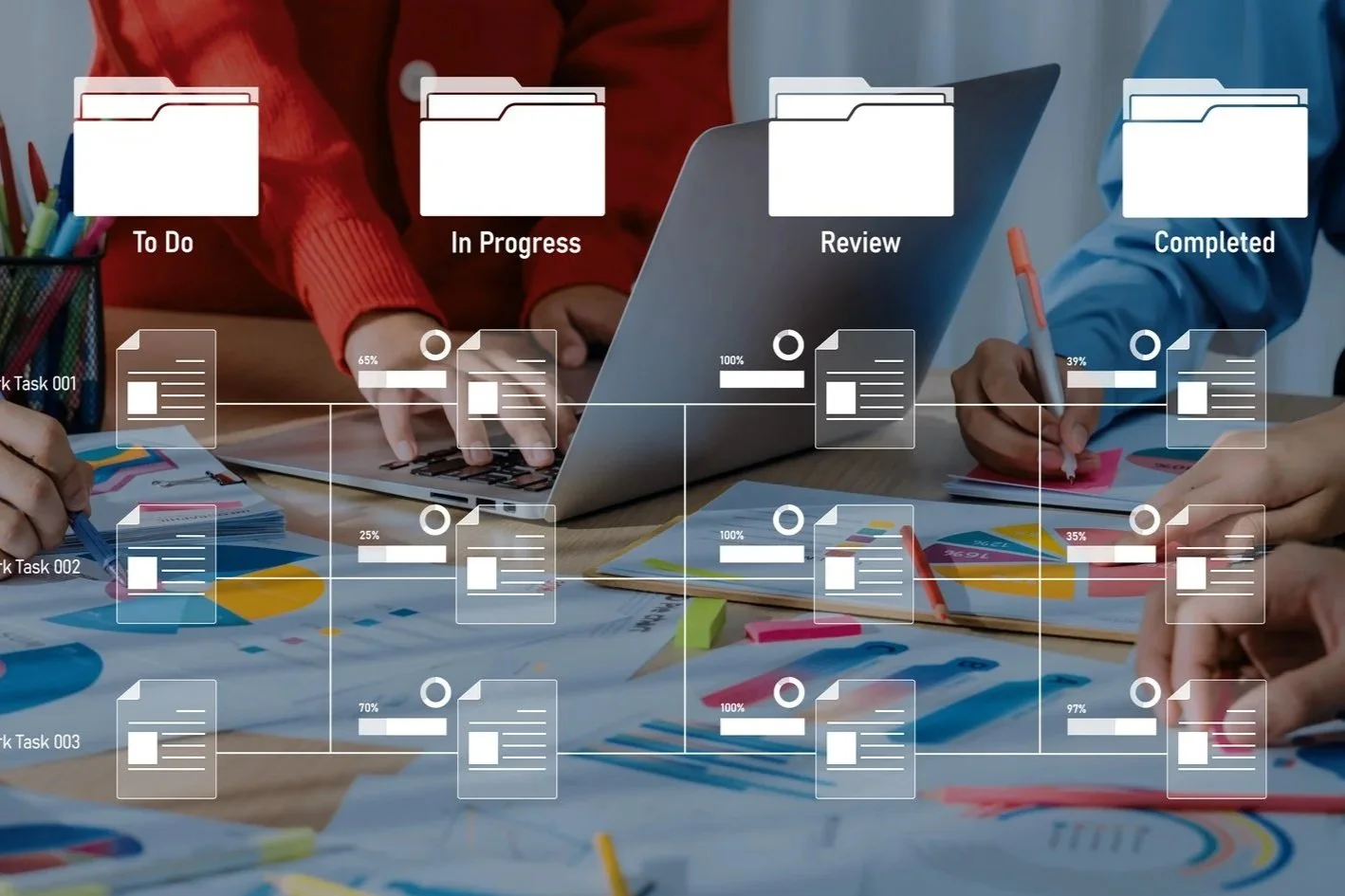
The JusticeWorks Solution empowers users with automated, user-defined workflows, streamlining case management and administrative tasks with ease. With this powerful feature, users can create workflows tailored to their needs, automating actions such as document generation, setting reminders, assigning tasks, and triggering notifications. Whether it’s ensuring timely filings, scheduling follow-ups, or streamlining approvals, workflows can be customized to fit your organization’s processes—eliminating repetitive manual work and reducing the risk of missed steps. By automating routine tasks, the JusticeWorks Solution enhances efficiency, improves accuracy, and allows legal teams to focus on high-value work while the system handles the details.

The JusticeWorks Solution takes user support to the next level with its intuitive, context-sensitive help feature. Designed to streamline your learning experience, this built-in tool provides on-demand guidance tailored to the specific area of the system you're working in. Whether you're navigating a new feature or troubleshooting a task, the help feature delivers relevant, actionable information right when you need it. Empower your team to get up to speed quickly, reduce downtime, and boost confidence in using the JusticeWorks Solution—all without ever leaving the system.

With the JusticeWorks Solution, you gain the power of a customizable interface designed to adapt to your unique needs. Tailor your dashboards to spotlight the data and metrics that matter most to you, ensuring you stay focused on what drives your success. Whether you need high-level overviews or detailed analytics, the JusticeWorks Solution empowers you to visualize your priorities clearly and efficiently. Experience the freedom to design a workflow that works for you, enhancing productivity and turning insights into action with ease.

The Justice Works Solution includes a streamlined Internal Case Transfers feature that simplifies the reassignment of cases between departments, teams, or individual staff members—all while maintaining full transparency and historical traceability. This functionality supports a fluid, organized workflow as cases evolve or as staffing needs shift.
Cases can be transferred individually or in batches, with customizable rules and automated notifications ensuring that all stakeholders stay informed. For example, a case may be reassigned from an intake attorney to a trial attorney once charges are filed, or shifted to a specialized team such as mental health or juvenile defense. Each transfer is logged with a timestamp and reason for the transfer, preserving the integrity of the case timeline.
In large organizations or multi-division offices, this feature helps manage heavy caseloads, prevent bottlenecks, and ensure clients receive consistent and timely representation. By allowing administrators to configure transfer permissions and workflows, Justice Works ensures that internal movement of cases is both secure and aligned with organizational policies.


The JusticeWorks Solution’s robust calendaring feature keeps you organized and in control with detailed tracking of events across all aspects of your work. Whether it’s case-related deadlines, office-wide meetings, or personal appointments, this powerful tool ensures nothing is overlooked. Events can be seamlessly auto-generated by trigger actions within the system, streamlining your workflow and reducing manual input. With the JusticeWorks Solution, you can effortlessly manage your schedule while staying aligned with critical tasks and team objectives—empowering you to focus on what matters most.

Stay connected and keep your clients in the loop with our SMS communication feature. Effortlessly send reminders about important events, ensuring nothing slips through the cracks. With the power of direct, two-way communication, clients can respond instantly, making interactions seamless and efficient. Whether it’s confirming appointments, addressing inquiries, or sharing updates, our SMS tool keeps communication fast, reliable, and personal—helping you build stronger relationships and enhance communication.


The JusticeWorks Solution makes time tracking effortless and precise, directly integrating it into your case management workflow. Whether it’s tracking billable hours or non-case-related activities, the software offers the flexibility to capture all types of time with ease. With robust reporting features, you can categorize time entries based on various criteria, providing detailed insights into how time is spent across cases and tasks. This powerful tool not only helps you maintain accurate records but also improves efficiency, ensures proper billing, and helps identify areas for optimization, giving you full control over your team’s time management.

The JusticeWorks Solution offers a comprehensive suite of expense tracking features to streamline financial management in your cases. Whether it's mileage tracking, transcripts, court fees, expert witness costs, investigation expenses, or any other charges attorneys typically incur, the software captures it all. You can easily manage and update expense types, allowing for customized tracking that fits your unique needs. With the ability to aggregate and generate detailed reports, the JusticeWorks Solution gives you full visibility into case-related expenses, helping to ensure accurate billing, financial oversight, and seamless client invoicing. This all-in-one solution helps you stay organized and on top of your financials with ease.

The JusticeWorks Solution goes beyond traditional case management by providing tools to track and report on critical mental health statistics for your clients. With detailed insights into mental health data, your team can make informed decisions to better address individual needs and outcomes. Additionally, the system supports tailored workflows for social workers and other supportive staff, streamlining processes and enhancing collaboration. Whether it’s managing assessments, monitoring progress, or coordinating care, the JusticeWorks Solution empowers your team with the tools to deliver comprehensive and compassionate support—helping you make a meaningful impact in the lives of those you serve.

Our Civil Case Related Person Tracking feature gives you complete visibility into every individual connected to a case—whether they are clients, opposing parties, witnesses, legal representatives, or other stakeholders. All related persons can be stored in one central, easily accessible location, complete with detailed contact information, relationships to the case, and relevant notes. This allows your team to quickly reference, update, and act on important connections without digging through scattered files or relying on memory.
More than just a contact list, this tool helps you see the bigger picture of your case relationships. By mapping out connections and roles, you can better anticipate needs, plan communications, and ensure that critical updates reach the right people at the right time. This not only improves case organization and efficiency but also reduces the risk of overlooking key parties—helping you maintain thorough, well-documented case records that stand up to scrutiny.
Our Civil Case Related Person Tracking feature gives you complete visibility into every individual connected to a case—whether they are clients, opposing parties, witnesses, legal representatives, or other stakeholders. All related persons can be stored in one central, easily accessible location, complete with detailed contact information, relationships to the case, and relevant notes. This allows your team to quickly reference, update, and act on important connections without digging through scattered files or relying on memory.
More than just a contact list, this tool helps you see the bigger picture of your case relationships. By mapping out connections and roles, you can better anticipate needs, plan communications, and ensure that critical updates reach the right people at the right time. This not only improves case organization and efficiency but also reduces the risk of overlooking key parties—helping you maintain thorough, well-documented case records that stand up to scrutiny.

Our Family Case Tracking feature is designed to handle the unique complexity of family law matters, where multiple parties, relationships, and case events are often intertwined. The system allows you to store and manage detailed profiles for all involved parties—such as parents, children, guardians, attorneys, and service providers—while clearly defining their relationships to one another and the case. Timelines, hearings, custody agreements, and other key details are organized in one central platform, giving your team instant access to the full case picture at any time.
With this level of organization, you can confidently manage even the most intricate family law cases. By having all relevant information, documents, and relationships connected in a single view, you reduce administrative burden, minimize errors, and improve coordination among team members. The result is a smoother case workflow, faster access to critical information, and more effective communication with clients and stakeholders—helping you provide a higher level of service and support in sensitive legal matters.
Our Family Case Tracking feature is designed to handle the unique complexity of family law matters, where multiple parties, relationships, and case events are often intertwined. The system allows you to store and manage detailed profiles for all involved parties—such as parents, children, guardians, attorneys, and service providers—while clearly defining their relationships to one another and the case. Timelines, hearings, custody agreements, and other key details are organized in one central platform, giving your team instant access to the full case picture at any time.
With this level of organization, you can confidently manage even the most intricate family law cases. By having all relevant information, documents, and relationships connected in a single view, you reduce administrative burden, minimize errors, and improve coordination among team members. The result is a smoother case workflow, faster access to critical information, and more effective communication with clients and stakeholders—helping you provide a higher level of service and support in sensitive legal matters.

The JusticeWorks Solution offers a powerful motion bank feature that allows you to efficiently manage and track motions within your cases. You can store and organize motion templates in the system, and seamlessly generate motion documents directly from a comprehensive forms bank. This integration speeds up document preparation, ensuring consistency and accuracy. The software also tracks submission and due dates for each motion, keeping your team on top of critical deadlines. Automated reminders and alerts help prevent delays, improving overall workflow efficiency. The JusticeWorks Solutin ensures your case management stays organized, timely, and fully compliant, giving you peace of mind that deadlines will always be met.

Our Event & Deadline Tracking feature ensures that no critical dates slip through the cracks, keeping your team perfectly aligned and on schedule. The system automatically records and monitors all key events such as court hearings, filing deadlines, client meetings, and procedural milestones. With customizable alerts and reminders, staff receive timely notifications well in advance, allowing your team to prepare proactively and avoid costly delays or missed opportunities.

By centralizing all deadlines in one intuitive platform, your organization gains full visibility into upcoming obligations and case timelines. This reduces administrative stress and improves accountability by keeping everyone informed and focused on priority tasks. Whether managing a few cases or a large caseload, Event & Deadline Tracking empowers your team to maintain impeccable case flow, enhance operational efficiency, and deliver superior client service.

Our Templated Document Generation feature transforms how your legal team creates essential documents by automating the process with customizable templates. Users can quickly generate contracts, motions, client letters, and other legal forms by automatically pulling accurate case data into pre-designed templates, eliminating manual entry errors and saving valuable time. This ensures every document maintains a consistent, professional appearance and complies with your organization’s standards.

Beyond speeding up document creation, this feature enhances productivity by allowing staff to focus on higher-value work rather than repetitive paperwork. With on-the-fly prompts, users can add case-specific details as needed, making each document precise and tailored without extra hassle. This automation boosts accuracy, reduces turnaround times, and empowers your team to deliver timely, polished documents that drive better case outcomes.

The JusticeWork Solution provides robust note-taking capabilities, allowing users to document critical details on every component within the system. Whether it's case updates, client interactions, or important observations, all notes are securely stored and easily accessible. Additionally, the system features a dedicated Legal Pad module, designed for attorneys and legal professionals to take structured, detailed notes with ease. To enhance efficiency, the JusticeWorks Solution includes advanced note-searching capabilities, enabling quick retrieval of specific information across all cases and records. With these powerful tools, your team can stay organized, maintain thorough documentation, and access key insights whenever needed.

The Sticky Notes feature in our system offers a simple yet powerful way to capture and share important reminders, ideas, or quick case insights right where you need them most. Users can attach colorful, easy-to-use notes to case files, tasks, or client records, ensuring that critical information stays visible and top of mind throughout the workflow. This quick-access tool helps teams avoid missing details and promotes better internal communication without interrupting productivity.
By centralizing notes within the system, Sticky Notes enhance collaboration and keep everyone aligned on case specifics or action items. Whether it’s a last-minute reminder, a key observation, or a to-do list, these notes help streamline case management by keeping relevant information easily accessible and preventing important details from slipping through the cracks. Sticky Notes empower your team to stay organized and efficient in a fast-paced legal environment.

The Justice Works Solution features robust Internal Message Threading and Reply capabilities, designed to enhance communication and collaboration across departments and teams within the organization. This feature allows staff to maintain organized, case-specific conversations that are easily trackable, reducing the need for external email chains and minimizing communication silos.
Users can start a new message thread within a case record and tag specific individuals or groups, such as attorneys, investigators, social workers, or administrative staff. Replies remain linked to the original message, creating a clear, chronological thread of discussion. This is particularly useful for coordinating next steps, clarifying case details, or assigning follow-up tasks—all within the context of the case itself.
For example, if a supervisor needs to clarify a motion draft before submission, they can initiate a threaded conversation directly on the case record and loop in relevant staff. All replies are stored in-line, making the thread easy to follow and audit if needed. This feature not only streamlines internal dialogue but also boosts accountability and reduces information loss—an especially impactful tool for large offices managing high volumes of active cases.

Our system’s Alerting, Work Requests, and Tasking features provide a comprehensive solution to keep your team proactive, organized, and accountable. Automated alerts notify users instantly about critical deadlines, case updates, or assigned tasks, ensuring nothing is overlooked. Meanwhile, the intuitive work request and task management tools allow team members to create, assign, and track tasks with ease, prioritizing workload and streamlining collaboration across departments. This coordinated approach minimizes bottlenecks and keeps your office running smoothly.


By centralizing alerts and task assignments in one platform, your organization gains real-time visibility into progress and workload distribution. Managers can monitor task status and reassign work as needed to balance capacity and meet deadlines efficiently. This level of oversight and automation empowers your team to stay focused on high-value activities, reducing missed steps and enhancing overall productivity and case outcomes.

The JusticeWorks Solution enables users to set up automated alerts for specific instances or milestones within a case, ensuring that no critical event goes unnoticed. Whether it's a deadline, a case update, or a custom trigger, these alerts can be fully tailored to your needs, keeping your team informed in real-time. Alerts are sent directly to recipients via email, providing immediate notifications to the right people at the right time. This automation streamlines workflows, reduces the risk of missed deadlines, and helps maintain seamless communication across your team, ensuring you stay on top of all important developments.
The JusticeWorks Solution simplifies communication with its built-in email functionality, allowing users to send emails directly from the system with ease. Whether it's for one-off items, case-related updates, alerts, or automated reminders, you can quickly craft and send messages without leaving the platform. Attachments, such as documents, reports, or evidence, can be included seamlessly, ensuring all relevant information is shared instantly. This integrated email tool enhances efficiency, reduces manual effort, and ensures that your team stays connected and responsive to clients, colleagues, and stakeholders at all times.
The JusticeWorks Solution makes it easy to stay on top of important tasks with its reminder feature. Users can create personalized reminders for themselves or assign them to other team members, ensuring that no crucial action or deadline is overlooked. Whether it’s a follow-up, document review, or court appearance, reminders are seamlessly integrated into the system, making it simple to stay organized and proactive. With customizable notification settings, the JusticeWorks Solution ensures that everyone on your team stays informed and aligned, helping to keep cases on track and workflows efficient.

Stay connected and keep your clients in the loop with our SMS communication feature. Effortlessly send reminders about important events, ensuring nothing slips through the cracks. With the power of direct, two-way communication, clients can respond instantly, making interactions seamless and efficient. Whether it’s confirming appointments, addressing inquiries, or sharing updates, our SMS tool keeps communication fast, reliable, and personal—helping you build stronger relationships and enhance communication.


The JusticeWorks Solution’s advanced and configurable Work Request module ensures seamless task management for legal teams of any size. Users can easily request and assign tasks with varying priorities, ensuring that critical work is handled efficiently. The system supports sub-tasking, allowing for detailed task breakdowns and better workflow organization. With flexible configuration options, tasks can be assigned based on roles or specific user settings, making it easy to distribute work across teams. Even the largest offices can track all assigned tasks in real time, while robust reporting tools provide valuable insights into performance, workload distribution, and task completion efforts—empowering teams to optimize efficiency and stay on top of every case.

The Justice Works Solution features an Advanced Assignment Process powered by our dynamic Assignment Wheel, a configurable automation tool that streamlines and standardizes the distribution of new cases, tasks, or responsibilities across eligible staff. Designed to eliminate bias, balance workloads, and reduce manual decision-making, the Assignment Wheel ensures consistent and equitable case assignment practices across your organization.
The Assignment Wheel can be configured to follow a round-robin approach, weighted assignments based on caseload volume, staff role, specialization, or availability. For example, high-complexity cases can be directed only to staff with a specific certification or experience level, while routine matters can rotate evenly among a general pool. This level of automation not only saves time but also reduces administrative overhead and minimizes errors in assignment.
Ideal for large offices with high case volume or organizations supporting multiple departments and roles—such as attorneys, investigators, social workers, and administrative personnel—the Assignment Wheel ensures that no staff member is overlooked or overloaded. As new cases enter the system, assignments are automatically made in real-time, promoting transparency, fairness, and operational efficiency across the board.

The JusticeWorks Solution offers powerful related person storage capabilities, allowing you to track not only key individuals but also their aliases, ensuring no critical connections are overlooked. The system supports a wide range of roles typically found in case management, including witnesses, co-defendants, family members, legal representatives, and expert consultants. For family practices, the JusticeWorks Solution can be configured to manage complex relationships, such as parent-child, spouse, or sibling connections, ensuring that all relevant parties are linked and tracked efficiently. With these robust features, you can easily organize and access the information needed to manage complex cases while maintaining clarity and accuracy.

The JusticeWorks Solution features a robust conflict checking tool designed to provide comprehensive searches not only for clients but also for all related people and entities on a case. This powerful tool ensures that potential conflicts are identified across your entire case network, including individuals, organizations, and even aliases. The software also includes a thesaurus-like search capability, allowing you to easily spot name variations or likenesses, such as “Mike” versus “Michael.” Additionally, the system supports linking cases and record deduplication, ensuring that related cases are efficiently connected and duplicate entries can be merged. This level of thoroughness helps prevent conflicts of interest, ensures data integrity, and safeguards the quality of your legal work, all while streamlining your workflow for greater efficiency.